Scenario: in the event a ticket is created indicating that an item is not available for purchase in the online store and it is confirmed that it is a DSV item, please do the following.
Before you begin this task, make sure you check all the requirements: has-image tag, inventory, published to the correct channel.
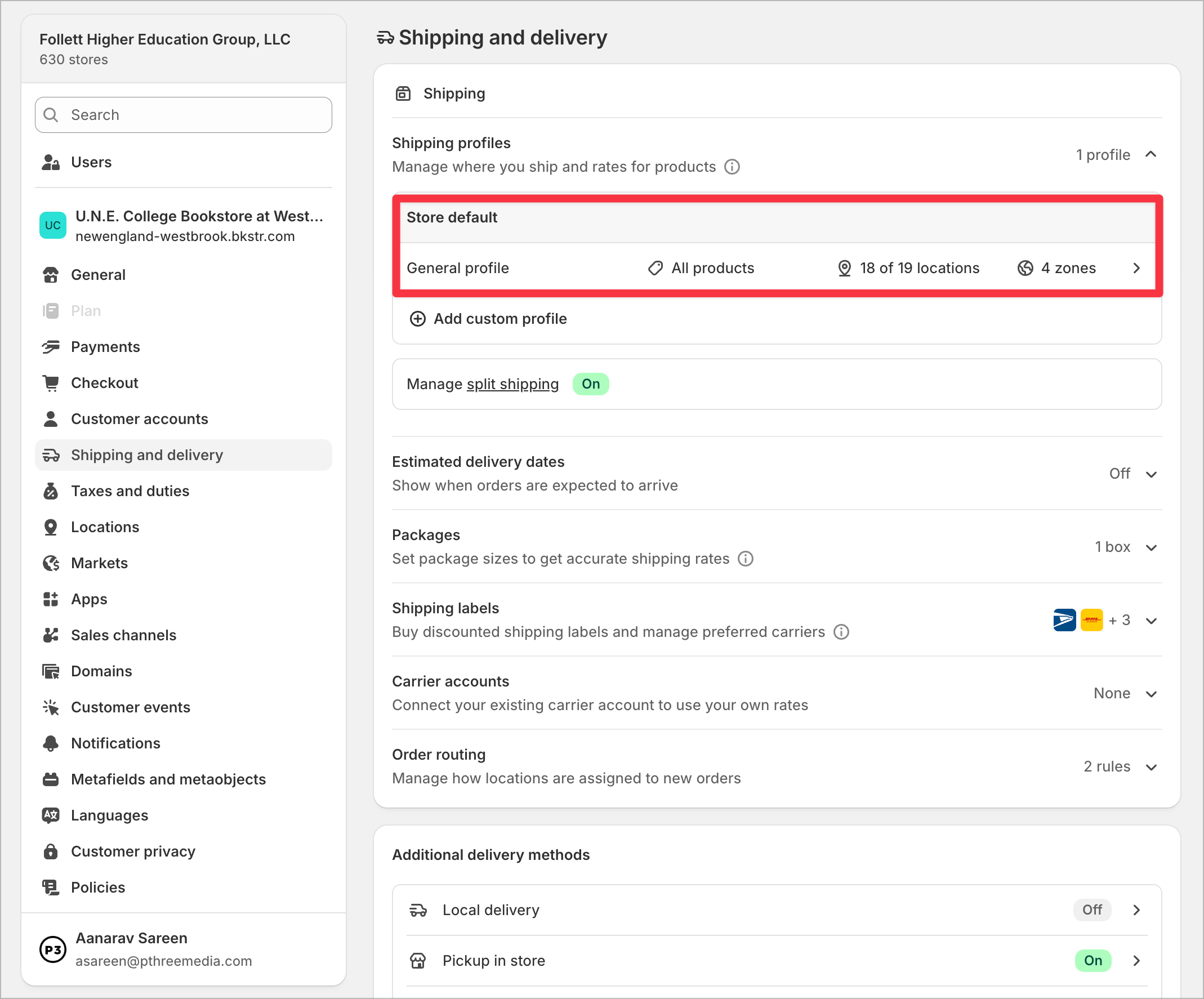
- Go to Settings > Admin > Shipping & Delivery
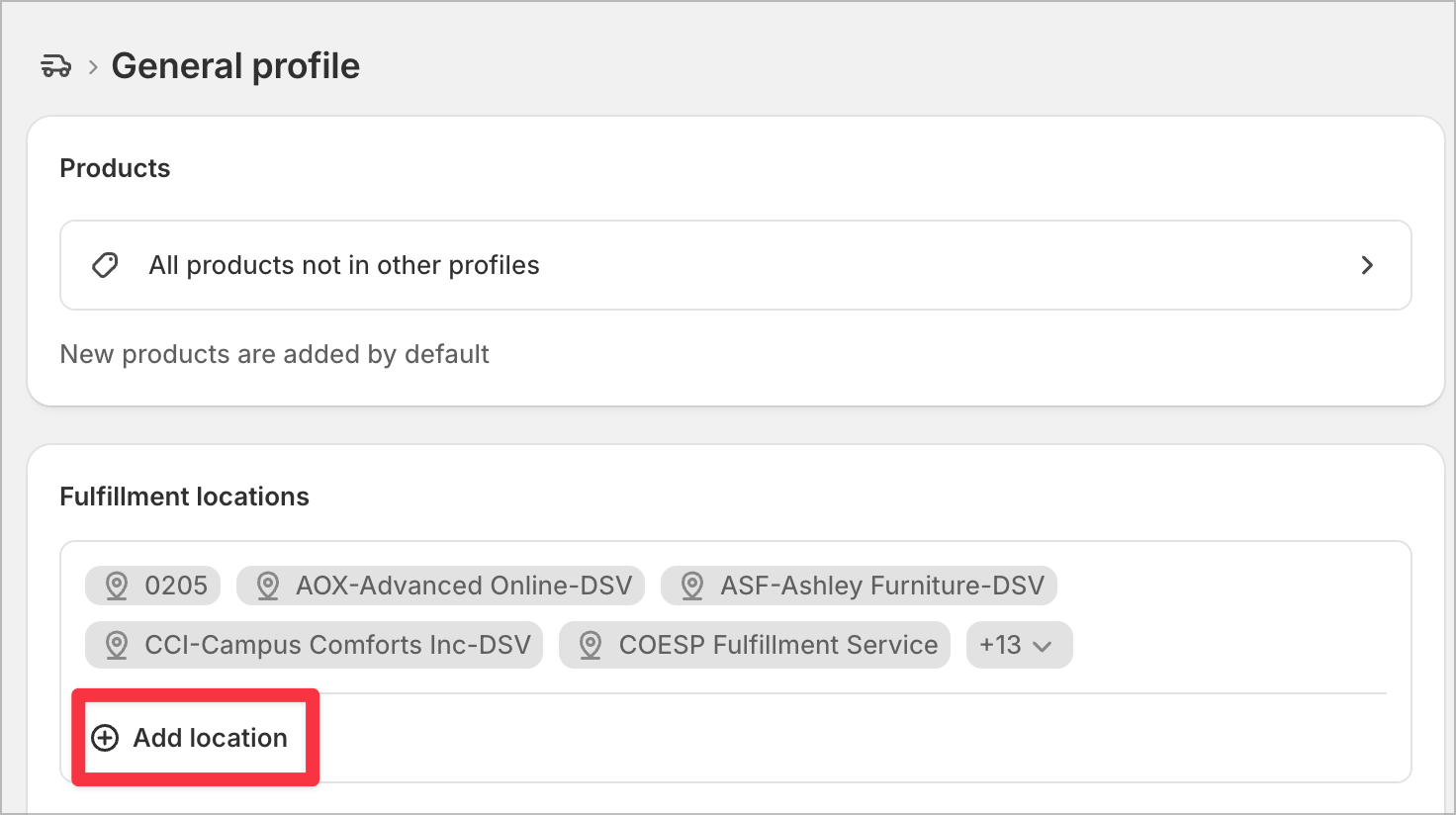
- Click on 'General Profile'
- Under fulfillment locations, click on 'Add Location' and ensure that all locations are added.